 Spark
Run your whole school from one place.
Attendance, fees, exams, homework and parent communication — on the web and in the Android and iOS apps. Built for schools from Nursery to Class XII.
The everyday problems of running a school, solved.
Most schools still juggle registers, fee ledgers, spreadsheets and WhatsApp groups. SparkLMS puts it all in one place that staff, parents and students actually use.
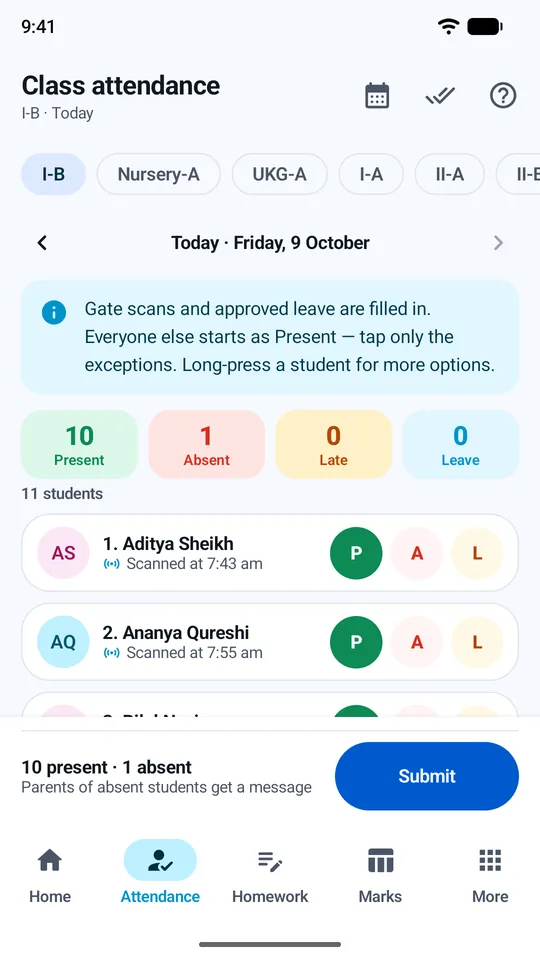
Teachers mark a class in seconds; RFID and QR gate scans fill it in, and parents of absent students are told automatically.
Parents pay online by UPI, card or net banking straight into the school’s account. Dues, defaulters and receipts stay in one place.
Teachers enter marks once; totals, grades and ranks are computed, and report cards print in a click.
Homework, notices and messages reach parents in the app — no more lost forwards in crowded groups.
Admissions, fees, exams, library, gate and staff in one platform, with a role for everyone in the school.
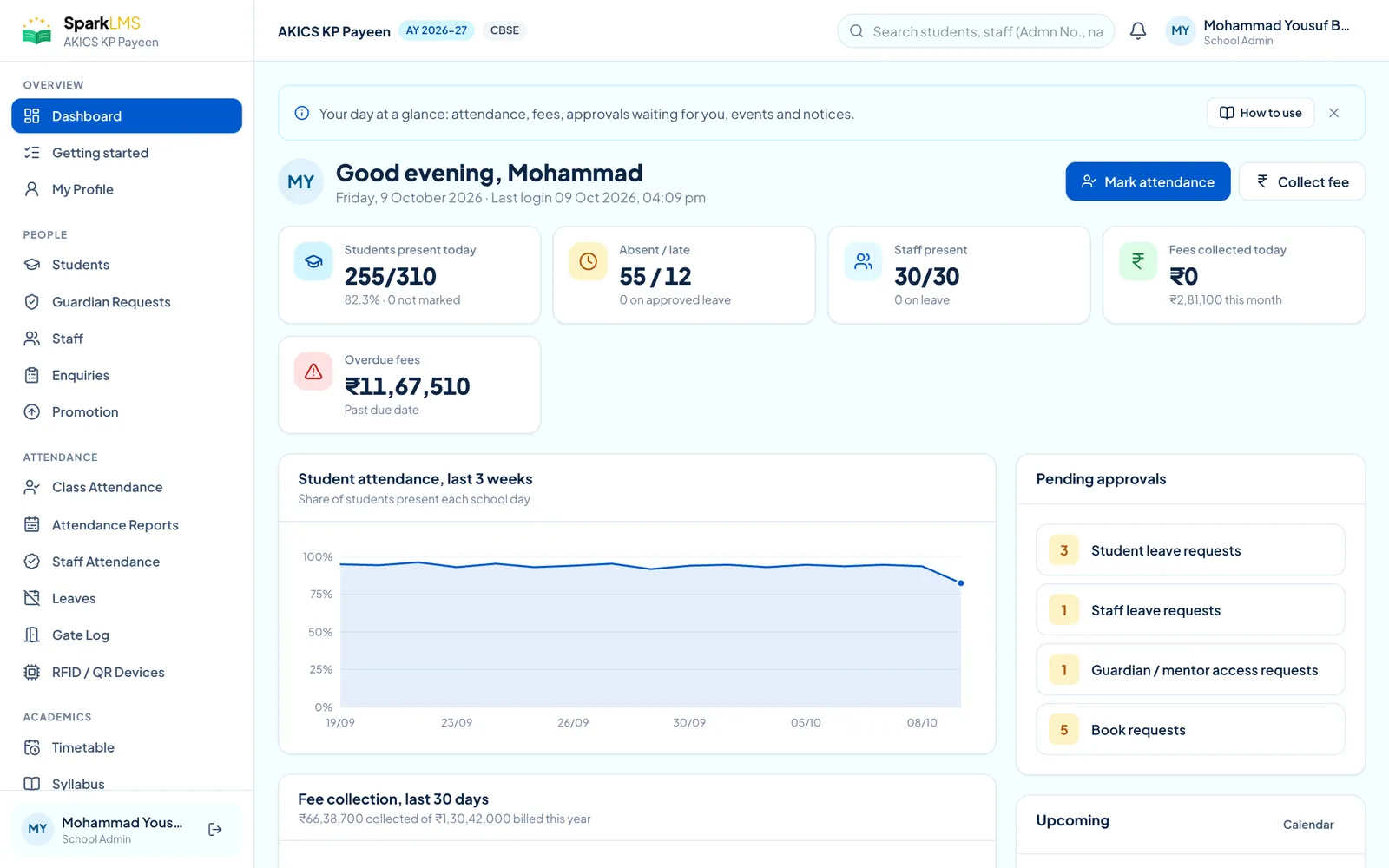
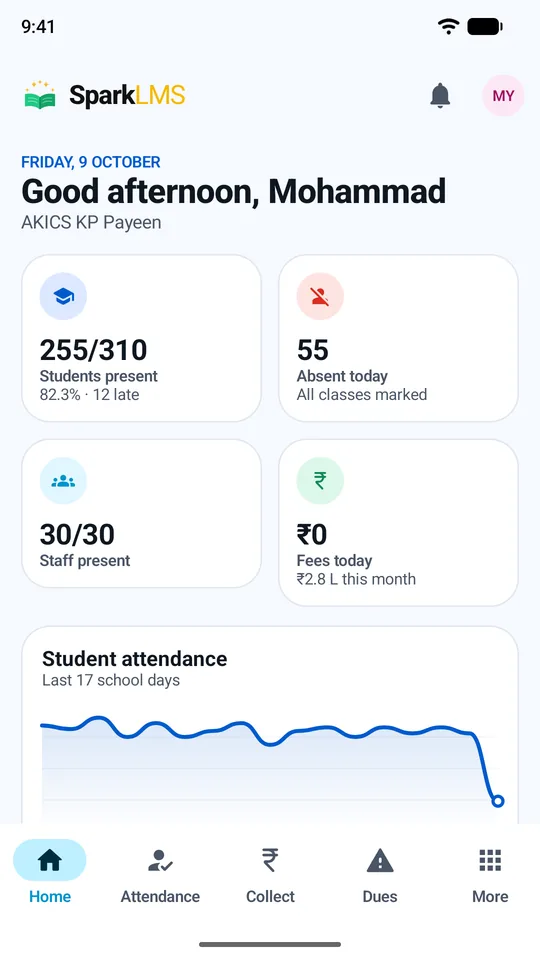
A live dashboard shows students and staff present, fees collected and what is waiting for approval.
Everything a school runs on, built in.
The tools your office, teachers, principal and parents use every day — designed together, so information flows without double entry.
Attendance that takes seconds, not a period
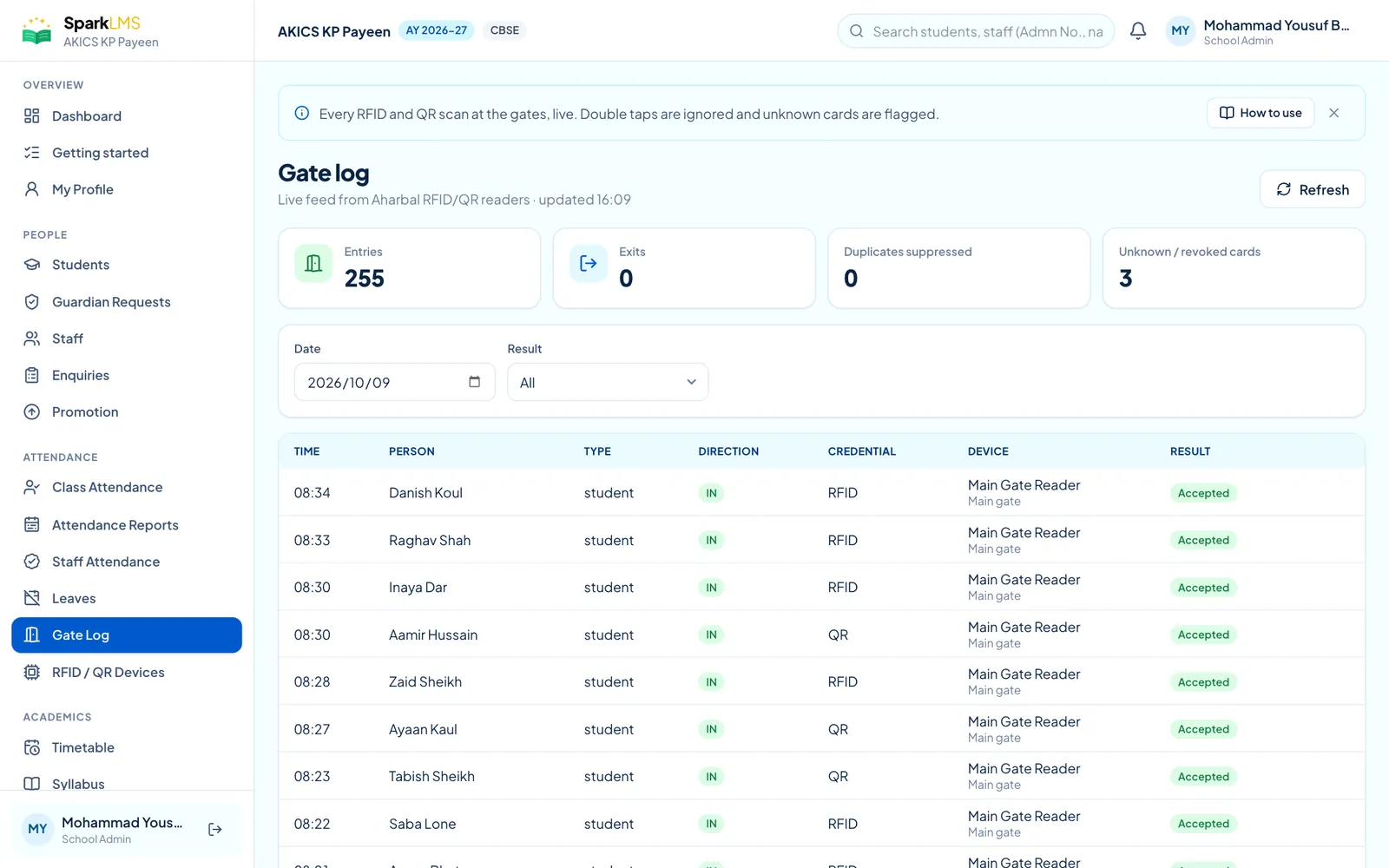
Students tap an RFID card or show a QR code at the gate, and the class register fills itself in. Teachers only mark the exceptions.
- One-tap class attendance on web and phone
- Live gate log from RFID / QR readers
- Parents of absent students are told automatically
- Daily summaries, monthly registers and below-75% lists
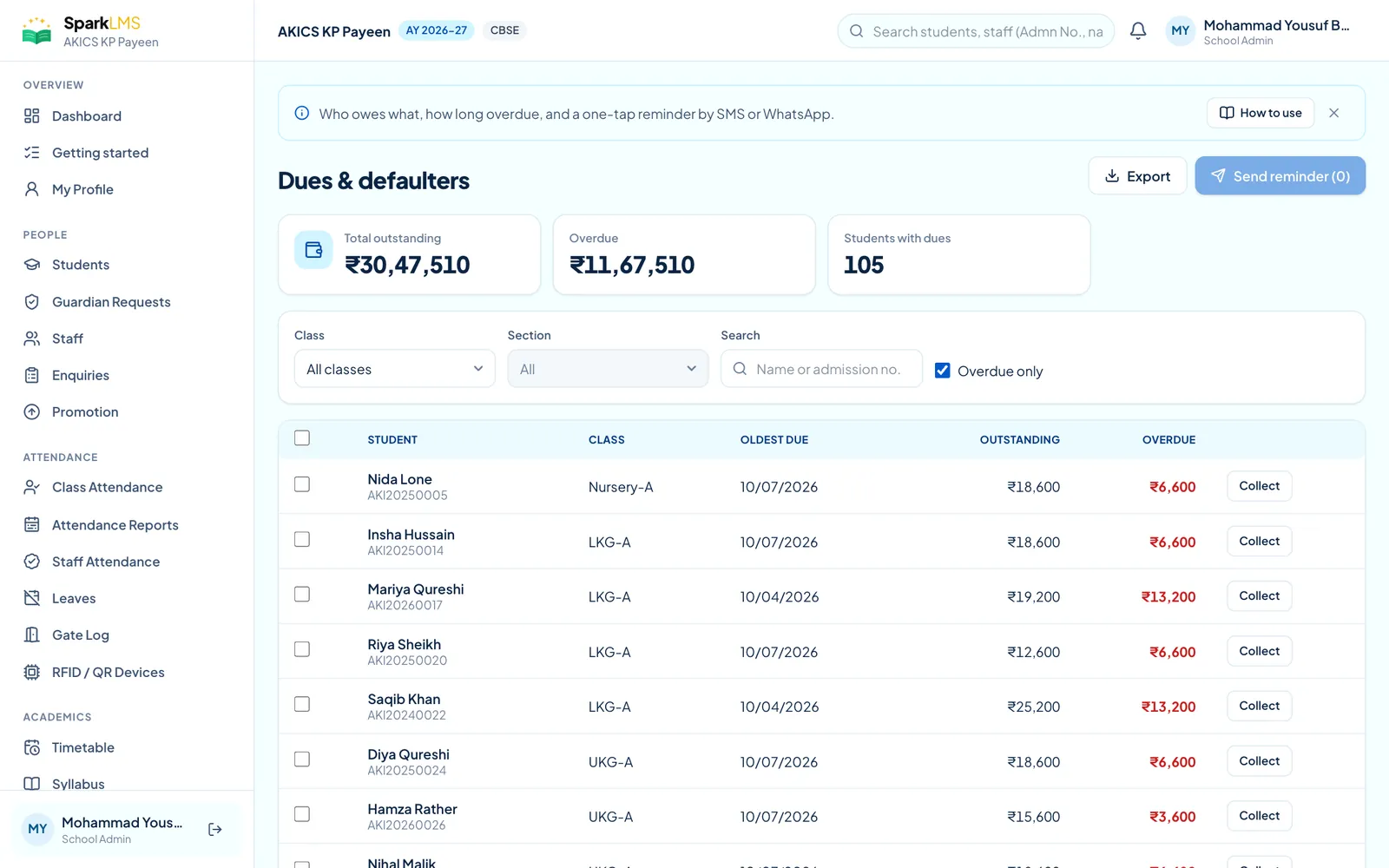
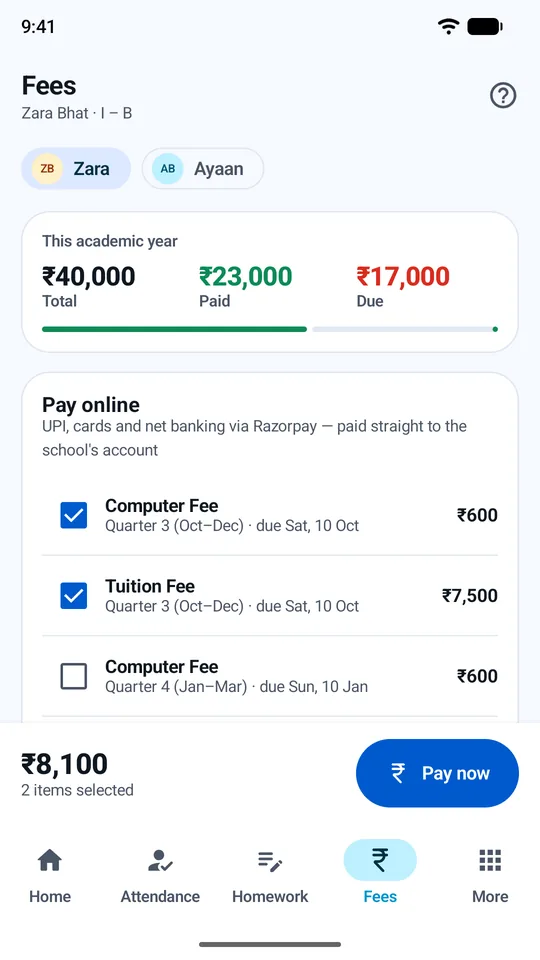
Fees without the queue
Parents pay online by UPI, card or net banking through Razorpay — straight into the school’s own account — and get a receipt at once.
- Fee structures, instalments, concessions and fines
- Dues & defaulters with one-tap SMS / WhatsApp reminders
- Fee counter for cash and cheque, day book and reports
- Receipts by school account, with online and counter payments together
Report cards in a click
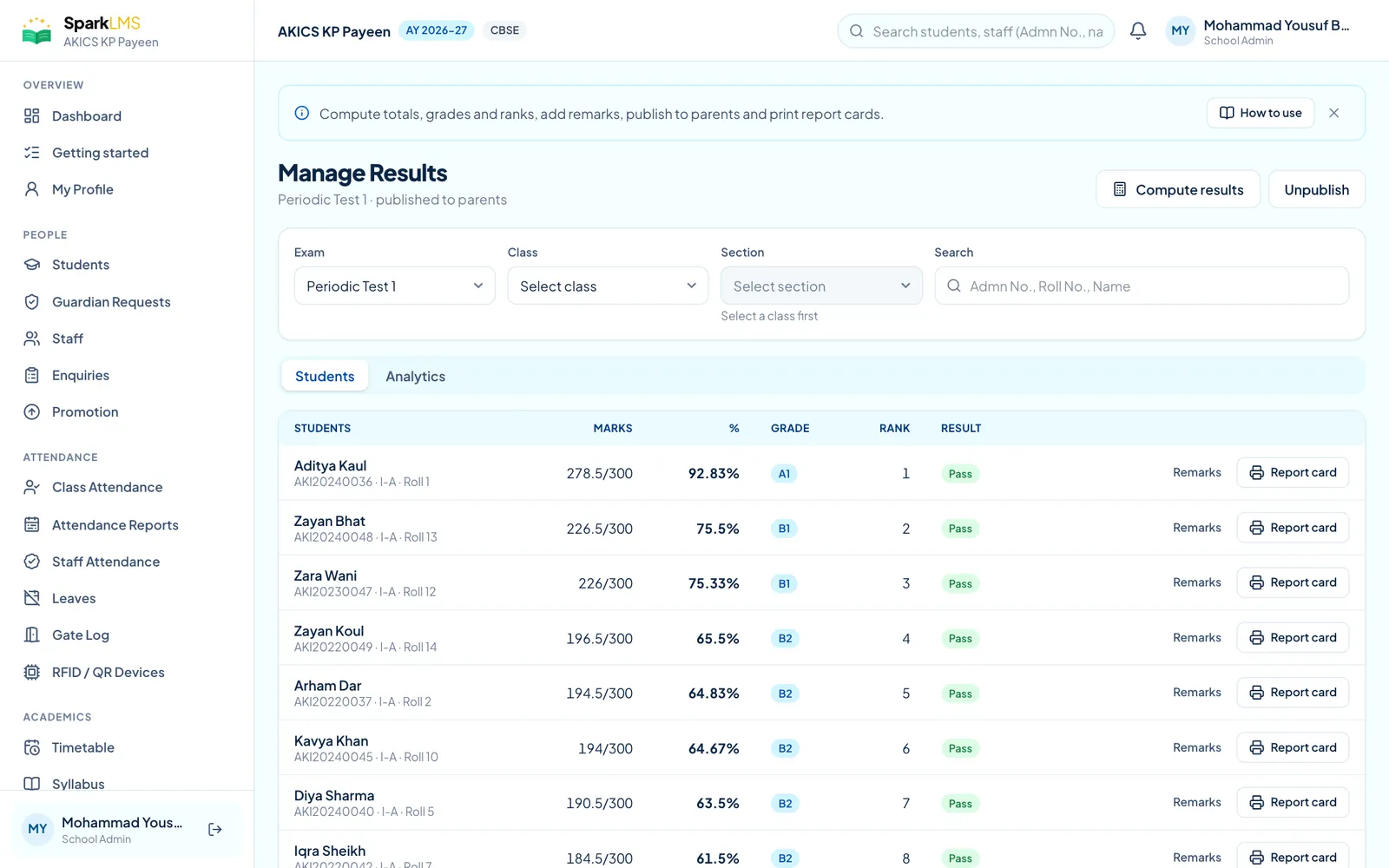
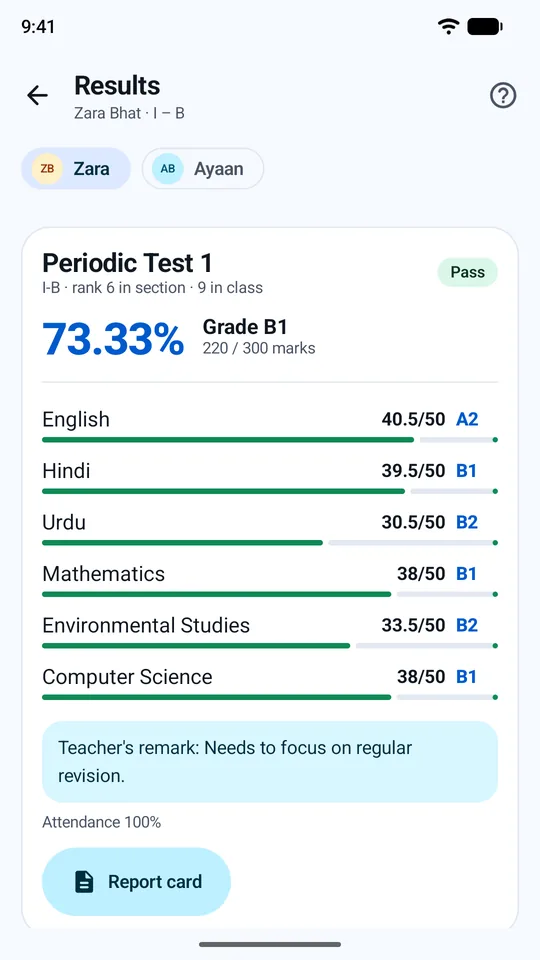
Teachers enter marks subject by subject; SparkLMS computes totals, grades and ranks, and publishes results to parents when you are ready.
- Exam schedules, date sheets and admit cards
- Automatic grades, ranks and class analytics
- Printable report cards with teacher remarks
- Results in the parent app the moment they are published
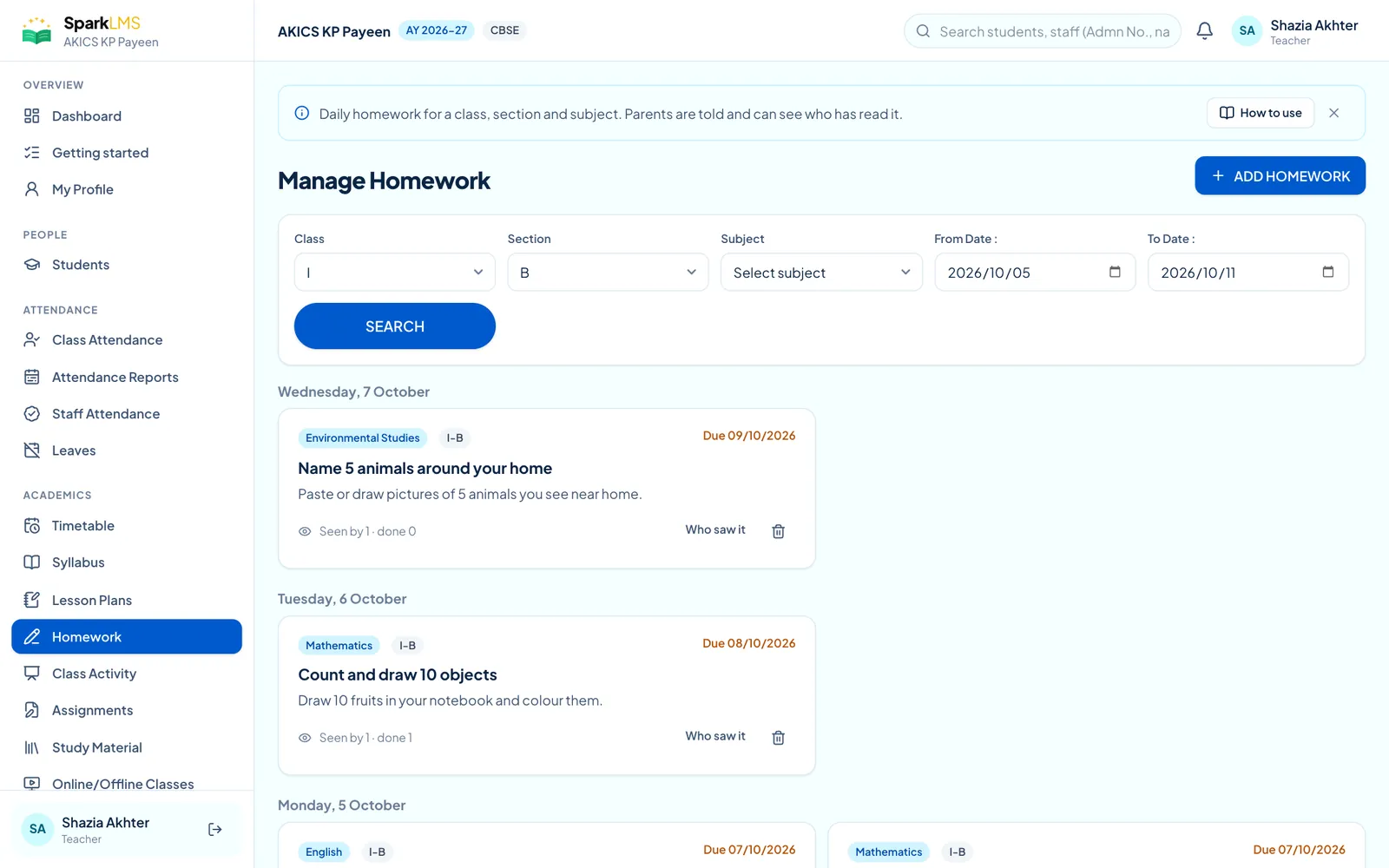
Homework, classes and learning in one diary
Teachers post homework and assignments by class and subject; students and parents see them in the app and tick them off — the teacher sees who has.
- Homework, assignments and study material
- Online tests marked automatically
- Timetables, lesson plans and syllabus tracking
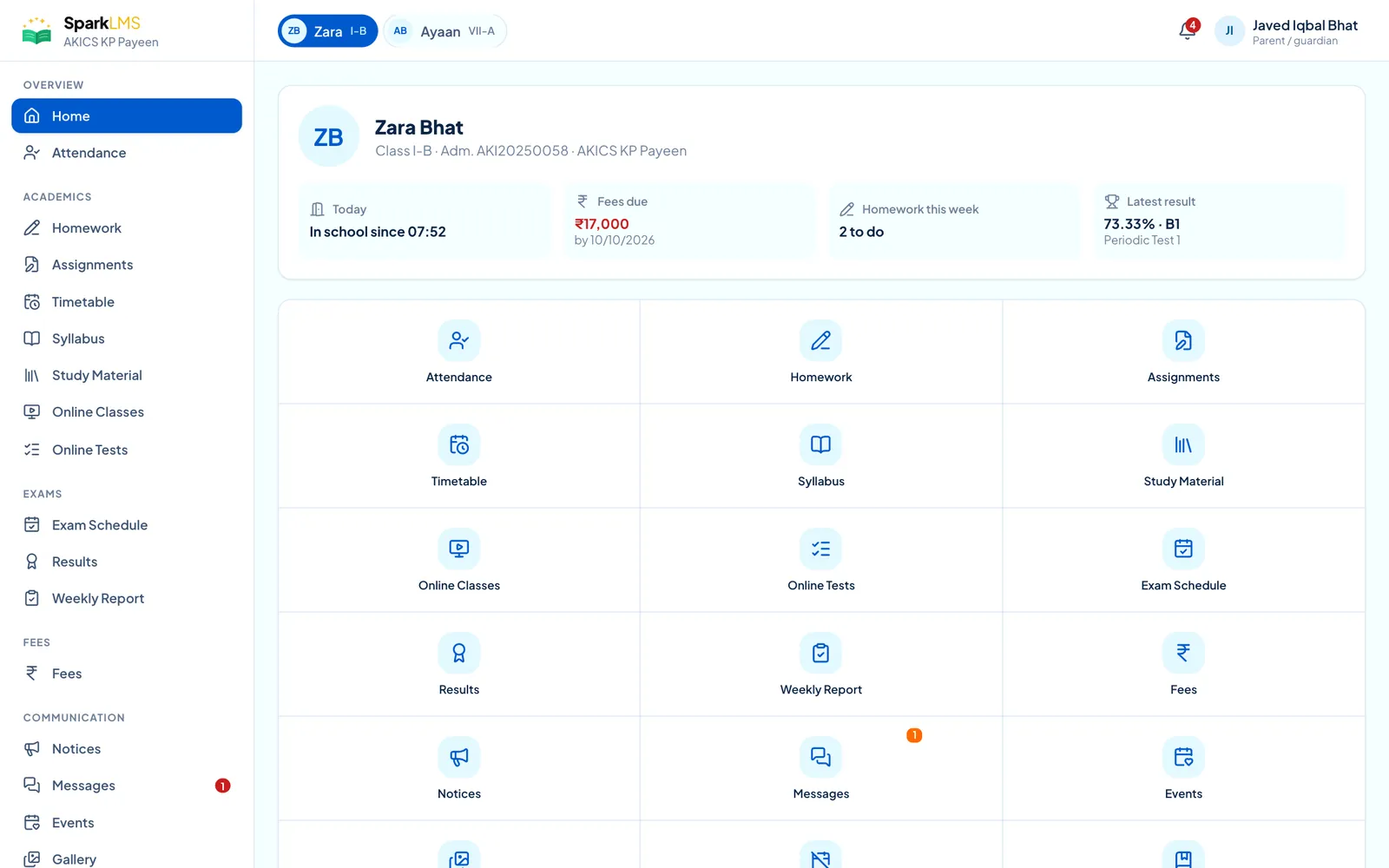
Parents always in the loop
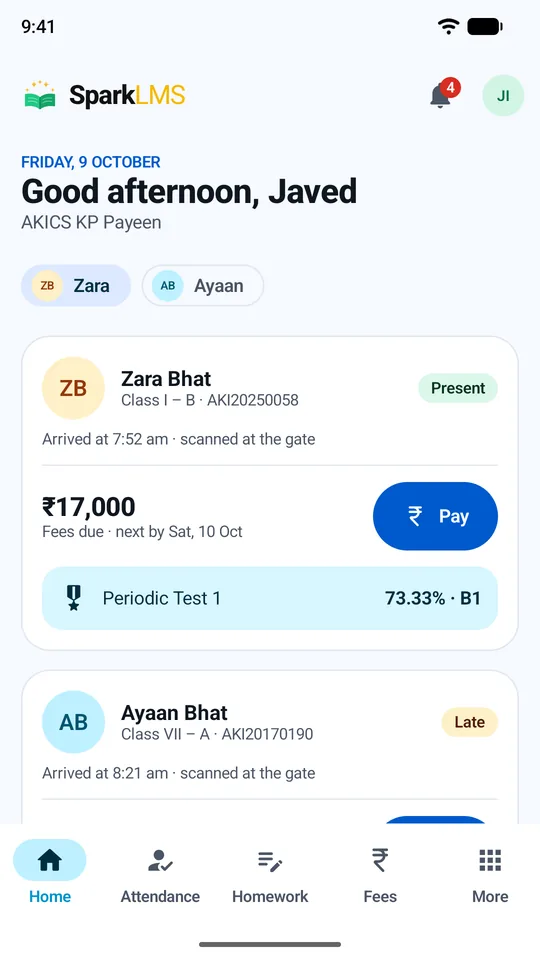
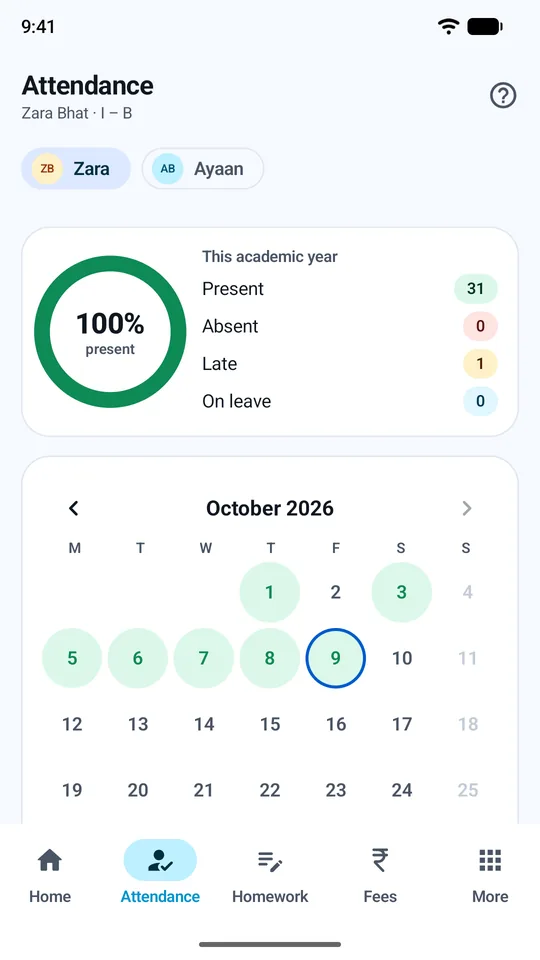
Families see attendance, homework, fees, results and notices for every child — on the family portal and in the app — and message teachers directly.
- Notices with acknowledgement, and two-way messages
- Switch between children with a tap
- Gate entry times and leave requests
Admissions to approvals, at a glance
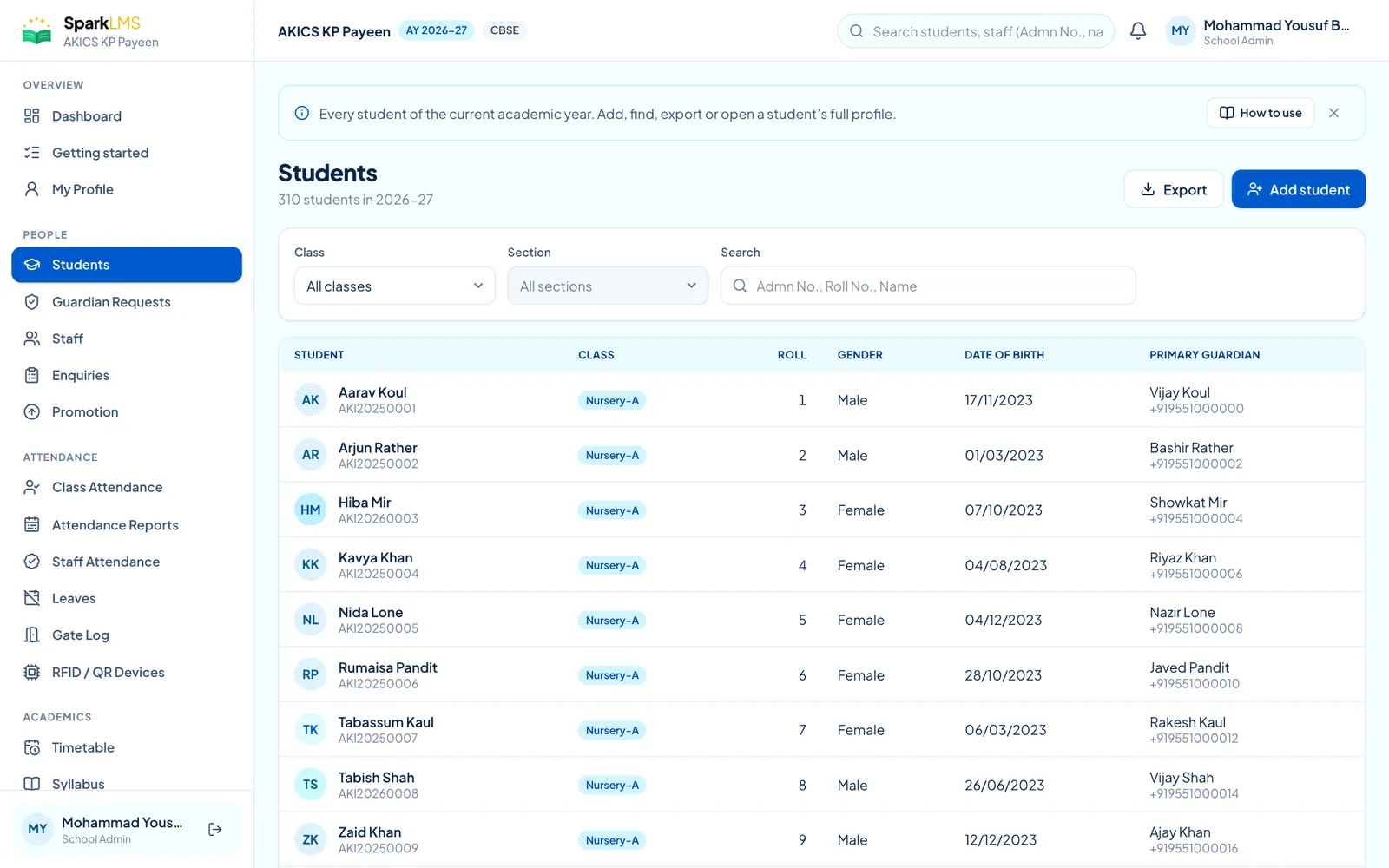
From the first enquiry to the student record, the office works in one place, and principals see what needs their attention right now.
- Enquiries, admissions and complete student records
- Leave, concession and refund approvals
- A live dashboard for the principal and management
Everything else a school needs
Your school, in every pocket
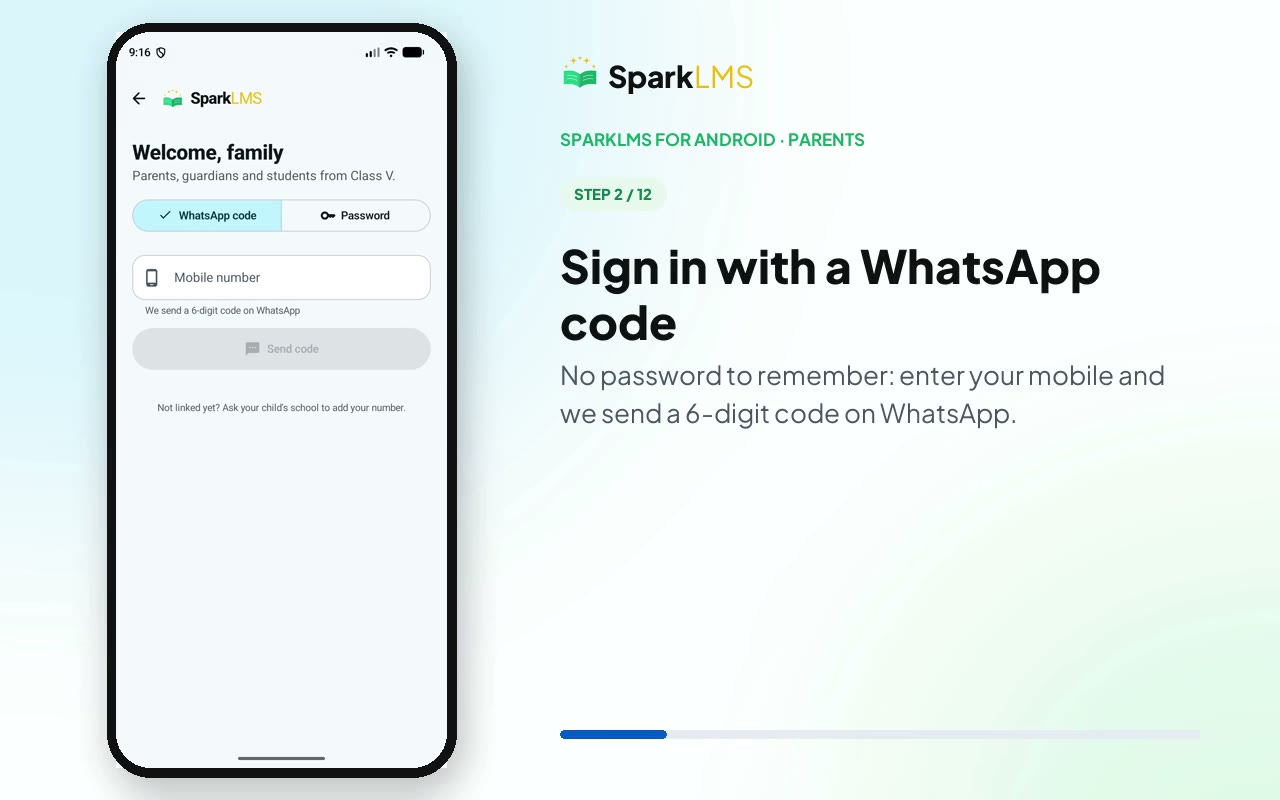
The SparkLMS apps for Android and iOS put the school in the hands of parents, students, teachers and the principal — with a WhatsApp code to sign in, no password to remember.
- Parents: attendance, homework, fees, results and messages
- Teachers: class attendance, homework and parents
- Principals: the school at a glance and approvals on the go
A 90-second tour, then a guide for every role
Short captioned videos recorded on a demo school. Jump to any step with the chapters.
Your school’s data, protected
Frequently asked questions
What is SparkLMS?
SparkLMS is a school management and learning platform. It brings attendance, fees, exams and report cards, homework, timetables and parent communication into one place, on the web and in mobile apps.
Who uses SparkLMS?
School admins, principals, teachers and office staff use it to run the school. Parents, guardians and students use the apps and family portal to follow attendance, homework, results and fees.
Can parents pay school fees online?
Yes. Parents can pay by UPI, card or net banking through Razorpay, paid into the school’s own account, and they get a receipt. Offices can also record cash, cheque and other payments at the counter.
Does SparkLMS support RFID and QR attendance?
Yes. Students and staff can tap an RFID card or show a QR code at the gate, and teachers can also mark class attendance in the app.
How does a school get started?
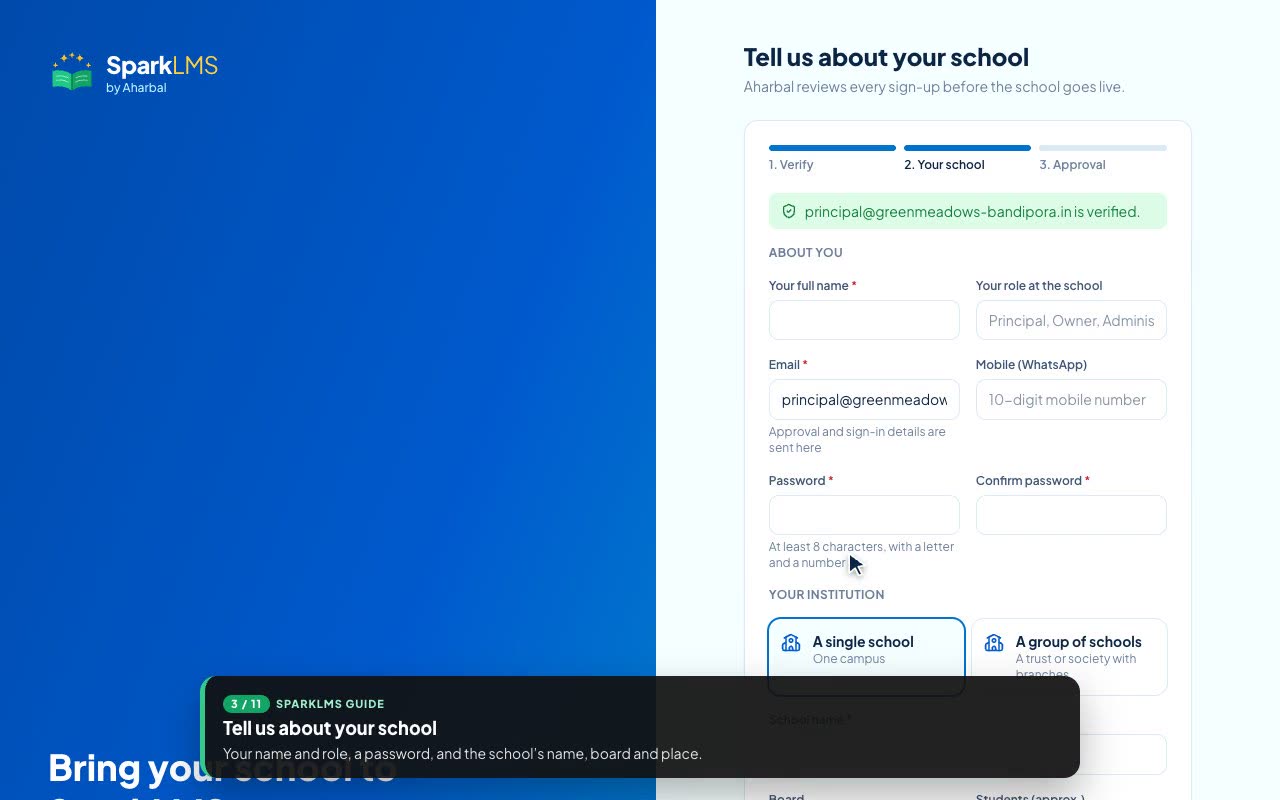
Sign up in a few minutes. Aharbal reviews every new school, then a guided checklist and a “How to use” guide on every page help your team get started.
Bring your school to SparkLMS
Sign up in a few minutes. Aharbal reviews every school, and a guided checklist with a “How to use” guide on every page helps your team get started.